
Bonjour la communauté OVH!
Je fais appel à votre aide car je suis un peu perdu.
Je viens de faire l’acquisition d'un VPS avec Debian mais je ne comprends pas comment accéder ou lancer l'interface graphique Debian.
Le but final étant de pouvoir installer OBS sur un système d'exploitation distant dispo 24/7 pour streamer du contenu audio-video.
Merci par avance pour votre aide
Serveurs Privés Virtuels (VPS) - Comment Accéder à l'interface graphique Debian (GUI/OS) à partir d'un VPS ?
Related questions
- Perte de mot de passe
 50673
50673  26.05.2023 13:36
- Comment configurer/utiliser un SMTP depuis un VPS ?
49150 07.10.2019 10:49
- Je connais que le mutu et besoin de node js
48714 14.04.2017 13:34
- Qu'est-ce vcore?
47896 06.01.2017 19:20
- Envoi Email via SMTP (port 587) sur VPS Pro1
46746 27.01.2017 10:02
- [résolu] Serveur Mysql - hôte inconnu
44332 19.01.2017 16:21
- Mon VPS à Timed Out
44196 15.03.2017 22:50
- Délai de livraison VPS
43825 11.07.2018 15:15
- Problème avec statisitique Plesk
41094 29.03.2017 07:44
- Accès externe base de données
40427 18.07.2018 10:29
Salut @RBlaza
Les os fournis par OVH (comme beaucoup d'autres proviseur) sont nu.
C'est a dire sans interfaces graphiques ou autre.
De la bonne vieille ligne de commande :)
Cependant, tu peux facilement installer tout ça une fois connecté en ssh a ton serveur.
Les tutos pour mettre en place des interfaces graphiques foisonnent sur le net :)
Jalinn
Merci @Jalinn ,
J'ai regardé sur le forum et sur internet.
J'ai pu m'en sortir avec ça :) :
Installer une interface graphique sur un VPS Debian (LXDE)
https://sourceforge.net/p/ubuntuzilla/wiki/Main_Page/
https://induste.com/threads/installer-une-interface-graphique-sur-un-vps-debian.547446/
https://dedigo.fr/clients/knowledgebase/34/Installer-une-interface-graphique-sous-Ubuntu.html
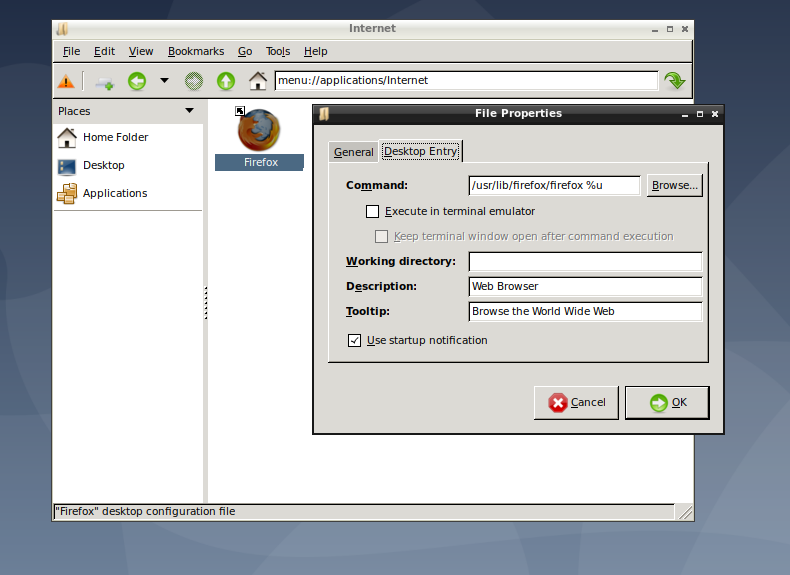
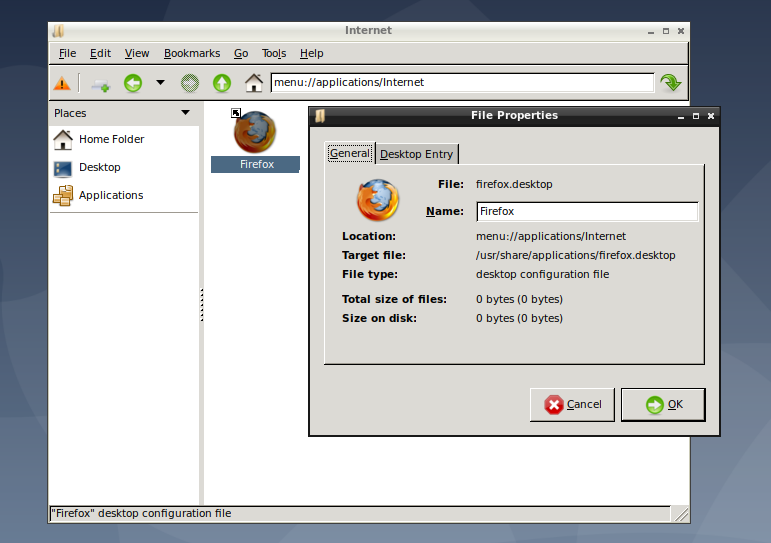
Mais j'ai un autre problème qui a priori n'a rien a voir mais impossible d'installer et faire fonctionner Firefox a partir de Debian LXDE.. du coup jsuis bloqué. :(
il ya bien le raccourci de créé dans le répertoire internet mais rien ne se passe au lancement.
Voir les captures ci dessous: