
Bonjour,
En 2016, lors de la mise en place de Let's Encrypt sur OVH, les appels via la fonction `file_get_contents($url)` quand `$url` était un lien absolu pointant vers le même site ou un multisite (même compte d'hébergement dans tous les cas) renvoyait l'erreur suivante :
> file_get_contents(): SSL operation failed with code 1. OpenSSL Error messages: error:140770FC:SSL routines:SSL23_GET_SERVER_HELLO:unknown protocol
> file_get_contents(): Failed to enable crypto .../includes/admin_functions.php 150
> file_get_contents(.../remote.php): failed to open stream: operation failed .../includes/admin_functions.php 150
Je signalais ce problème ici :
https://forum.ovh.com/showthread.php/110188-D%C3%A9ploiement-du-protocole-HTTPS (rechercher "01/07/2016, 16h14" sur la page pour trouver le message).
A l'époque, un développeur de chez OVH avait donné un moyen de contourner le problème : utiliser directement le port 443 en http. Par exemple :
`$testpage = file_get_contents('http://www.monsite.com:443/page.php');`
Source : https://forum.ovh.com/showthread.php/110188-D%C3%A9ploiement-du-protocole-HTTPS - "07/07/2016, 10h23".
Finalement, quelques semaines plus tard, l'astuce précédemment donnée (le port 443 en http) ne fonctionnait plus et il fallait tout simplement utiliser le protocole https, ce qui était finalement bien mieux et logique. Ainsi, `$testpage = file_get_contents('https://www.monsite.com/page.php');` fonctionnait.
---
Nous sommes en 2022 et le problème initial est revenu et persiste depuis des semaines (si ce n'est plus). Utiliser l'astuce de 2016 fonctionne à nouveau... mais n'offre aucun gage de viabilité sur le long terme et n'est donc pas acceptable aujourd'hui.
Si cela a son importance, mon hébergement est sur le cluster 13 et le problème affecte aussi bien l'environnement legacy que stable64 (versions de php testées : 5.6 et 7.4).
J'espère avoir plus de chance ici qu'avec le support technique de OVH (ticket CS5575877) qui est hors-sujet et uniquement obsédé par ma version obsolète de PHP (je sais qu'il faut que je me mette à niveau) alors que le problème n'est clairement pas à ce niveau là...
Merci en tout cas de m'avoir lu jusqu'au bout.
Hébergement Web-old - [Résolu] Réémergence d'un bug vieux de 2016(régression) : inaction du support technique
Related questions
- [RESOLU] Server unable to read htaccess file, denying access to be safe
 50268
50268  24.11.2019 19:11
- Effacer wordpress d'OVH et reinstaller
46286 08.09.2019 21:02
- Version php 7.0 sur Ovh mais php 5.4.45 sur mon wordpress
45484 10.01.2019 11:14
- Comment récupérer son mot de passe phpmyadmin ?
43640 14.11.2016 10:32
- Changer la version d'une base de donnée en mutualisé
41865 22.12.2016 11:46
- Résiliation hébergement
38780 27.07.2018 10:39
- Ne supporte pas FTP sur TLS
38713 11.12.2018 18:48
- Variable upload_max_filesize plus grande que post_max_size
38628 11.06.2017 16:01
- Résiliation hébergement+domaine
35783 11.09.2018 20:28
- Transfert hebergement et domaine .fr entre client OVH ?
34396 21.12.2016 15:10
Bonjour,
Quel est le message d'erreur à présent ?
Bonjour,
L'erreur est la même qu'en 2016 sur l'environnement legacy avec PHP 5.6 :
> Warning: file_get_contents(): SSL operation failed with code 1. OpenSSL Error messages: error:140770FC:SSL routines:SSL23_GET_SERVER_HELLO:unknown protocol in /home/***/www/php-test/test.php on line 6
> Warning: file_get_contents(): Failed to enable crypto in /home/***/www/php-test/test.php on line 6
> Warning: file_get_contents(https://***/php-test/file.html): failed to open stream: operation failed in /home/***/www/php-test/test.php on line 6
Elle est un peu différente sur l'environnement stable64 avec PHP 7.4 :
> Warning: file_get_contents(): SSL operation failed with code 1. OpenSSL Error messages: error:1408F10B:SSL routines:ssl3_get_record:wrong version number in /home/***/www/php-test/test.php on line 6
> Warning: file_get_contents(): Failed to enable crypto in /home/***/www/php-test/test.php on line 6
> Warning: file_get_contents(https://***/php-test/file.html): failed to open stream: operation failed in /home/***/www/php-test/test.php on line 6
A part attendre la réponse du support je ne voie pas.
J'ai testé sur un VPS et cela fonctionne parfaitement...
```text Bonjour @chmod
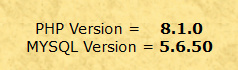
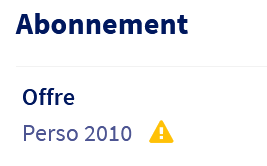
Sur un hébergement mutualisé PERSO 2010 : **file_get_contents fonctionne très bien**
Je viens de faire le test à l'instant.
**`$DATA = file_get_contents("$LOGS_FILE");`**
**`echo $DATA;`**
Contexte : **cluster010**
_ftp.cluster010.hosting.ovh.net_
https://www.php.net/manual/fr/function.file-get-contents.php ```
Merci à vous deux pour vos messages et vos tests sur vos hébergements respectifs. Il pourrait donc s'agir d'un problème spécifique au cluster 13 (c'est bien ma chance 🙃)...
TTY, le problème du support n'est pas l'attente (j'ai toujours eu une réponse dans la journée) mais bien la réponse elle-même qui est systématiquement à côté (sûrement du fait de vouloir répondre trop vite).
Peux tu donner l'URL que ton script appel ?
Bonjour @chmod
Je dirais même plus : une copie de ton script PHP.
Merci
Bonjour,
Le script de test que j'ai fait se présente ainsi (je l'ai nommé "test.php" et mis dans un dossier "/php-test" à la racine du site) :
error_reporting(E_ALL);
ini_set("display_errors", 1);
$site = "www.monsite.com"; // changer cette valeur
echo "URL absolue (https) :
";
echo file_get_contents("https://". $site ."/php-test/file.html");
echo "
";
echo "URL absolue (http:443) :
";
echo file_get_contents("http://". $site .":443/php-test/file.html");
echo "
";
echo "URL relative :
";
echo file_get_contents("file.html");
"file.html" est juste un fichier qui contient la chaîne de caractères "HELLO WORLD!!", présent lui aussi dans le dossier "/php-test".
Quand j'accède à "https://www.monsite.com/php-test/test.php" depuis un navigateur, le résultat suivant est affiché :
> URL absolue (https) :
> Warning: file_get_contents(): SSL operation failed with code 1. OpenSSL Error messages: error:140770FC:SSL routines:SSL23_GET_SERVER_HELLO:unknown protocol in /home/***/www/php-test/test.php on line 11
> Warning: file_get_contents(): Failed to enable crypto in /home/***/www/php-test/test.php on line 11
> Warning: file_get_contents(https://***/php-test/file.html): failed to open stream: operation failed in /home/***/www/php-test/test.php on line 11
> URL absolue (http:443) :
> HELLO WORLD!!
> URL relative :
> HELLO WORLD!!
Tu ne veux pas donner ton domaine ? (www.monsite.com)
Dans ce cas peux tu vérifier le certificat SSL avec un outil online ?
Désolé, le nom de domaine est : bankokado.net
Test en copiant/collant le script sur un VPS
URL absolue (https) :
HELLO WORLD!!
URL absolue (http:443) :
Warning: file_get_contents(http://www.bankokado.net:443/php-test/file.html): failed to open stream: HTTP request failed! in /var/www/html/test.php on line 13
URL relative :
Warning: file_get_contents(file.html): failed to open stream: No such file or directory in /var/www/html/test.php on line 18
le
`file_get_contents("https://". $site ."/php-test/file.html");`
Fonctionne bien
Je suis parti sur une autre piste:
phpinfo() me dit que: Openssl default config /usr/lib/ssl/openssl.cnf
Sur un mutualisé php 8.1 64-bit dans l'environnement d'exécution web, ce fichier contient:
$ cat /usr/lib/ssl/openssl.cnf
#
# OpenSSL example configuration file.
# This is mostly being used for generation of certificate requests.
#
# Note that you can include other files from the main configuration
# file using the .include directive.
#.include filename
# This definition stops the following lines choking if HOME isn't
# defined.
HOME = .
# Extra OBJECT IDENTIFIER info:
#oid_file = $ENV::HOME/.oid
oid_section = new_oids
# System default
openssl_conf = default_conf
# To use this configuration file with the "-extfile" option of the
# "openssl x509" utility, name here the section containing the
# X.509v3 extensions to use:
# extensions =
# (Alternatively, use a configuration file that has only
# X.509v3 extensions in its main [= default] section.)
[ new_oids ]
# We can add new OIDs in here for use by 'ca', 'req' and 'ts'.
# Add a simple OID like this:
# testoid1=1.2.3.4
# Or use config file substitution like this:
# testoid2=${testoid1}.5.6
# Policies used by the TSA examples.
tsa_policy1 = 1.2.3.4.1
tsa_policy2 = 1.2.3.4.5.6
tsa_policy3 = 1.2.3.4.5.7
####################################################################
[ ca ]
default_ca = CA_default # The default ca section
####################################################################
[ CA_default ]
dir = ./demoCA # Where everything is kept
certs = $dir/certs # Where the issued certs are kept
crl_dir = $dir/crl # Where the issued crl are kept
database = $dir/index.txt # database index file.
#unique_subject = no # Set to 'no' to allow creation of
# several certs with same subject.
new_certs_dir = $dir/newcerts # default place for new certs.
certificate = $dir/cacert.pem # The CA certificate
serial = $dir/serial # The current serial number
crlnumber = $dir/crlnumber # the current crl number
# must be commented out to leave a V1 CRL
crl = $dir/crl.pem # The current CRL
private_key = $dir/private/cakey.pem# The private key
x509_extensions = usr_cert # The extensions to add to the cert
# Comment out the following two lines for the "traditional"
# (and highly broken) format.
name_opt = ca_default # Subject Name options
cert_opt = ca_default # Certificate field options
# Extension copying option: use with caution.
# copy_extensions = copy
# Extensions to add to a CRL. Note: Netscape communicator chokes on V2 CRLs
# so this is commented out by default to leave a V1 CRL.
# crlnumber must also be commented out to leave a V1 CRL.
# crl_extensions = crl_ext
default_days = 365 # how long to certify for
default_crl_days= 30 # how long before next CRL
default_md = default # use public key default MD
preserve = no # keep passed DN ordering
# A few difference way of specifying how similar the request should look
# For type CA, the listed attributes must be the same, and the optional
# and supplied fields are just that :-)
policy = policy_match
# For the CA policy
[ policy_match ]
countryName = match
stateOrProvinceName = match
organizationName = match
organizationalUnitName = optional
commonName = supplied
emailAddress = optional
# For the 'anything' policy
# At this point in time, you must list all acceptable 'object'
# types.
[ policy_anything ]
countryName = optional
stateOrProvinceName = optional
localityName = optional
organizationName = optional
organizationalUnitName = optional
commonName = supplied
emailAddress = optional
####################################################################
[ req ]
default_bits = 2048
default_keyfile = privkey.pem
distinguished_name = req_distinguished_name
attributes = req_attributes
x509_extensions = v3_ca # The extensions to add to the self signed cert
# Passwords for private keys if not present they will be prompted for
# input_password = secret
# output_password = secret
# This sets a mask for permitted string types. There are several options.
# default: PrintableString, T61String, BMPString.
# pkix : PrintableString, BMPString (PKIX recommendation before 2004)
# utf8only: only UTF8Strings (PKIX recommendation after 2004).
# nombstr : PrintableString, T61String (no BMPStrings or UTF8Strings).
# MASK:XXXX a literal mask value.
# WARNING: ancient versions of Netscape crash on BMPStrings or UTF8Strings.
string_mask = utf8only
# req_extensions = v3_req # The extensions to add to a certificate request
[ req_distinguished_name ]
countryName = Country Name (2 letter code)
countryName_default = AU
countryName_min = 2
countryName_max = 2
stateOrProvinceName = State or Province Name (full name)
stateOrProvinceName_default = Some-State
localityName = Locality Name (eg, city)
0.organizationName = Organization Name (eg, company)
0.organizationName_default = Internet Widgits Pty Ltd
# we can do this but it is not needed normally :-)
#1.organizationName = Second Organization Name (eg, company)
#1.organizationName_default = World Wide Web Pty Ltd
organizationalUnitName = Organizational Unit Name (eg, section)
#organizationalUnitName_default =
commonName = Common Name (e.g. server FQDN or YOUR name)
commonName_max = 64
emailAddress = Email Address
emailAddress_max = 64
# SET-ex3 = SET extension number 3
[ req_attributes ]
challengePassword = A challenge password
challengePassword_min = 4
challengePassword_max = 20
unstructuredName = An optional company name
[ usr_cert ]
# These extensions are added when 'ca' signs a request.
# This goes against PKIX guidelines but some CAs do it and some software
# requires this to avoid interpreting an end user certificate as a CA.
basicConstraints=CA:FALSE
# Here are some examples of the usage of nsCertType. If it is omitted
# the certificate can be used for anything *except* object signing.
# This is OK for an SSL server.
# nsCertType = server
# For an object signing certificate this would be used.
# nsCertType = objsign
# For normal client use this is typical
# nsCertType = client, email
# and for everything including object signing:
# nsCertType = client, email, objsign
# This is typical in keyUsage for a client certificate.
# keyUsage = nonRepudiation, digitalSignature, keyEncipherment
# This will be displayed in Netscape's comment listbox.
nsComment = "OpenSSL Generated Certificate"
# PKIX recommendations harmless if included in all certificates.
subjectKeyIdentifier=hash
authorityKeyIdentifier=keyid,issuer
# This stuff is for subjectAltName and issuerAltname.
# Import the email address.
# subjectAltName=email:copy
# An alternative to produce certificates that aren't
# deprecated according to PKIX.
# subjectAltName=email:move
# Copy subject details
# issuerAltName=issuer:copy
#nsCaRevocationUrl = http://www.domain.dom/ca-crl.pem
#nsBaseUrl
#nsRevocationUrl
#nsRenewalUrl
#nsCaPolicyUrl
#nsSslServerName
# This is required for TSA certificates.
# extendedKeyUsage = critical,timeStamping
[ v3_req ]
# Extensions to add to a certificate request
basicConstraints = CA:FALSE
keyUsage = nonRepudiation, digitalSignature, keyEncipherment
[ v3_ca ]
# Extensions for a typical CA
# PKIX recommendation.
subjectKeyIdentifier=hash
authorityKeyIdentifier=keyid:always,issuer
basicConstraints = critical,CA:true
# Key usage: this is typical for a CA certificate. However since it will
# prevent it being used as an test self-signed certificate it is best
# left out by default.
# keyUsage = cRLSign, keyCertSign
# Some might want this also
# nsCertType = sslCA, emailCA
# Include email address in subject alt name: another PKIX recommendation
# subjectAltName=email:copy
# Copy issuer details
# issuerAltName=issuer:copy
# DER hex encoding of an extension: beware experts only!
# obj=DER:02:03
# Where 'obj' is a standard or added object
# You can even override a supported extension:
# basicConstraints= critical, DER:30:03:01:01:FF
[ crl_ext ]
# CRL extensions.
# Only issuerAltName and authorityKeyIdentifier make any sense in a CRL.
# issuerAltName=issuer:copy
authorityKeyIdentifier=keyid:always
[ proxy_cert_ext ]
# These extensions should be added when creating a proxy certificate
# This goes against PKIX guidelines but some CAs do it and some software
# requires this to avoid interpreting an end user certificate as a CA.
basicConstraints=CA:FALSE
# Here are some examples of the usage of nsCertType. If it is omitted
# the certificate can be used for anything *except* object signing.
# This is OK for an SSL server.
# nsCertType = server
# For an object signing certificate this would be used.
# nsCertType = objsign
# For normal client use this is typical
# nsCertType = client, email
# and for everything including object signing:
# nsCertType = client, email, objsign
# This is typical in keyUsage for a client certificate.
# keyUsage = nonRepudiation, digitalSignature, keyEncipherment
# This will be displayed in Netscape's comment listbox.
nsComment = "OpenSSL Generated Certificate"
# PKIX recommendations harmless if included in all certificates.
subjectKeyIdentifier=hash
authorityKeyIdentifier=keyid,issuer
# This stuff is for subjectAltName and issuerAltname.
# Import the email address.
# subjectAltName=email:copy
# An alternative to produce certificates that aren't
# deprecated according to PKIX.
# subjectAltName=email:move
# Copy subject details
# issuerAltName=issuer:copy
#nsCaRevocationUrl = http://www.domain.dom/ca-crl.pem
#nsBaseUrl
#nsRevocationUrl
#nsRenewalUrl
#nsCaPolicyUrl
#nsSslServerName
# This really needs to be in place for it to be a proxy certificate.
proxyCertInfo=critical,language:id-ppl-anyLanguage,pathlen:3,policy:foo
####################################################################
[ tsa ]
default_tsa = tsa_config1 # the default TSA section
[ tsa_config1 ]
# These are used by the TSA reply generation only.
dir = ./demoCA # TSA root directory
serial = $dir/tsaserial # The current serial number (mandatory)
crypto_device = builtin # OpenSSL engine to use for signing
signer_cert = $dir/tsacert.pem # The TSA signing certificate
# (optional)
certs = $dir/cacert.pem # Certificate chain to include in reply
# (optional)
signer_key = $dir/private/tsakey.pem # The TSA private key (optional)
signer_digest = sha256 # Signing digest to use. (Optional)
default_policy = tsa_policy1 # Policy if request did not specify it
# (optional)
other_policies = tsa_policy2, tsa_policy3 # acceptable policies (optional)
digests = sha1, sha256, sha384, sha512 # Acceptable message digests (mandatory)
accuracy = secs:1, millisecs:500, microsecs:100 # (optional)
clock_precision_digits = 0 # number of digits after dot. (optional)
ordering = yes # Is ordering defined for timestamps?
# (optional, default: no)
tsa_name = yes # Must the TSA name be included in the reply?
# (optional, default: no)
ess_cert_id_chain = no # Must the ESS cert id chain be included?
# (optional, default: no)
ess_cert_id_alg = sha1 # algorithm to compute certificate
# identifier (optional, default: sha1)
[default_conf]
ssl_conf = ssl_sect
[ssl_sect]
system_default = system_default_sect
[system_default_sect]
MinProtocol = TLSv1.2
CipherString = DEFAULT@SECLEVEL=2
Ces deux dernières lignes m'interpellent.
Serait-ce parce que les appels sortants sont en TLSv1.0 ou TLSv1.1 ?
Tiens ça me rappel un problème récent mais avec curl...
Le fichier sur le VPS :
#
# OpenSSL example configuration file.
# This is mostly being used for generation of certificate requests.
#
# Note that you can include other files from the main configuration
# file using the .include directive.
#.include filename
# This definition stops the following lines choking if HOME isn't
# defined.
HOME = .
# Extra OBJECT IDENTIFIER info:
#oid_file = $ENV::HOME/.oid
oid_section = new_oids
# System default
openssl_conf = default_conf
# To use this configuration file with the "-extfile" option of the
# "openssl x509" utility, name here the section containing the
# X.509v3 extensions to use:
# extensions =
# (Alternatively, use a configuration file that has only
# X.509v3 extensions in its main [= default] section.)
[ new_oids ]
# We can add new OIDs in here for use by 'ca', 'req' and 'ts'.
# Add a simple OID like this:
# testoid1=1.2.3.4
# Or use config file substitution like this:
# testoid2=${testoid1}.5.6
# Policies used by the TSA examples.
tsa_policy1 = 1.2.3.4.1
tsa_policy2 = 1.2.3.4.5.6
tsa_policy3 = 1.2.3.4.5.7
####################################################################
[ ca ]
default_ca = CA_default # The default ca section
####################################################################
[ CA_default ]
dir = ./demoCA # Where everything is kept
certs = $dir/certs # Where the issued certs are kept
crl_dir = $dir/crl # Where the issued crl are kept
database = $dir/index.txt # database index file.
#unique_subject = no # Set to 'no' to allow creation of
# several certs with same subject.
new_certs_dir = $dir/newcerts # default place for new certs.
certificate = $dir/cacert.pem # The CA certificate
serial = $dir/serial # The current serial number
crlnumber = $dir/crlnumber # the current crl number
# must be commented out to leave a V1 CRL
crl = $dir/crl.pem # The current CRL
private_key = $dir/private/cakey.pem# The private key
x509_extensions = usr_cert # The extensions to add to the cert
# Comment out the following two lines for the "traditional"
# (and highly broken) format.
name_opt = ca_default # Subject Name options
cert_opt = ca_default # Certificate field options
# Extension copying option: use with caution.
# copy_extensions = copy
# Extensions to add to a CRL. Note: Netscape communicator chokes on V2 CRLs
# so this is commented out by default to leave a V1 CRL.
# crlnumber must also be commented out to leave a V1 CRL.
# crl_extensions = crl_ext
default_days = 365 # how long to certify for
default_crl_days= 30 # how long before next CRL
default_md = default # use public key default MD
preserve = no # keep passed DN ordering
# A few difference way of specifying how similar the request should look
# For type CA, the listed attributes must be the same, and the optional
# and supplied fields are just that :-)
policy = policy_match
# For the CA policy
[ policy_match ]
countryName = match
stateOrProvinceName = match
organizationName = match
organizationalUnitName = optional
commonName = supplied
emailAddress = optional
# For the 'anything' policy
# At this point in time, you must list all acceptable 'object'
# types.
[ policy_anything ]
countryName = optional
stateOrProvinceName = optional
localityName = optional
organizationName = optional
organizationalUnitName = optional
commonName = supplied
emailAddress = optional
####################################################################
[ req ]
default_bits = 2048
default_keyfile = privkey.pem
distinguished_name = req_distinguished_name
attributes = req_attributes
x509_extensions = v3_ca # The extensions to add to the self signed cert
# Passwords for private keys if not present they will be prompted for
# input_password = secret
# output_password = secret
# This sets a mask for permitted string types. There are several options.
# default: PrintableString, T61String, BMPString.
# pkix : PrintableString, BMPString (PKIX recommendation before 2004)
# utf8only: only UTF8Strings (PKIX recommendation after 2004).
# nombstr : PrintableString, T61String (no BMPStrings or UTF8Strings).
# MASK:XXXX a literal mask value.
# WARNING: ancient versions of Netscape crash on BMPStrings or UTF8Strings.
string_mask = utf8only
# req_extensions = v3_req # The extensions to add to a certificate request
[ req_distinguished_name ]
countryName = Country Name (2 letter code)
countryName_default = AU
countryName_min = 2
countryName_max = 2
stateOrProvinceName = State or Province Name (full name)
stateOrProvinceName_default = Some-State
localityName = Locality Name (eg, city)
0.organizationName = Organization Name (eg, company)
0.organizationName_default = Internet Widgits Pty Ltd
# we can do this but it is not needed normally :-)
#1.organizationName = Second Organization Name (eg, company)
#1.organizationName_default = World Wide Web Pty Ltd
organizationalUnitName = Organizational Unit Name (eg, section)
#organizationalUnitName_default =
commonName = Common Name (e.g. server FQDN or YOUR name)
commonName_max = 64
emailAddress = Email Address
emailAddress_max = 64
# SET-ex3 = SET extension number 3
[ req_attributes ]
challengePassword = A challenge password
challengePassword_min = 4
challengePassword_max = 20
unstructuredName = An optional company name
[ usr_cert ]
# These extensions are added when 'ca' signs a request.
# This goes against PKIX guidelines but some CAs do it and some software
# requires this to avoid interpreting an end user certificate as a CA.
basicConstraints=CA:FALSE
# Here are some examples of the usage of nsCertType. If it is omitted
# the certificate can be used for anything *except* object signing.
# This is OK for an SSL server.
# nsCertType = server
# For an object signing certificate this would be used.
# nsCertType = objsign
# For normal client use this is typical
# nsCertType = client, email
# and for everything including object signing:
# nsCertType = client, email, objsign
# This is typical in keyUsage for a client certificate.
# keyUsage = nonRepudiation, digitalSignature, keyEncipherment
# This will be displayed in Netscape's comment listbox.
nsComment = "OpenSSL Generated Certificate"
# PKIX recommendations harmless if included in all certificates.
subjectKeyIdentifier=hash
authorityKeyIdentifier=keyid,issuer
# This stuff is for subjectAltName and issuerAltname.
# Import the email address.
# subjectAltName=email:copy
# An alternative to produce certificates that aren't
# deprecated according to PKIX.
# subjectAltName=email:move
# Copy subject details
# issuerAltName=issuer:copy
#nsCaRevocationUrl = http://www.domain.dom/ca-crl.pem
#nsBaseUrl
#nsRevocationUrl
#nsRenewalUrl
#nsCaPolicyUrl
#nsSslServerName
# This is required for TSA certificates.
# extendedKeyUsage = critical,timeStamping
[ v3_req ]
# Extensions to add to a certificate request
basicConstraints = CA:FALSE
keyUsage = nonRepudiation, digitalSignature, keyEncipherment
[ v3_ca ]
# Extensions for a typical CA
# PKIX recommendation.
subjectKeyIdentifier=hash
authorityKeyIdentifier=keyid:always,issuer
basicConstraints = critical,CA:true
# Key usage: this is typical for a CA certificate. However since it will
# prevent it being used as an test self-signed certificate it is best
# left out by default.
# keyUsage = cRLSign, keyCertSign
# Some might want this also
# nsCertType = sslCA, emailCA
# Include email address in subject alt name: another PKIX recommendation
# subjectAltName=email:copy
# Copy issuer details
# issuerAltName=issuer:copy
# DER hex encoding of an extension: beware experts only!
# obj=DER:02:03
# Where 'obj' is a standard or added object
# You can even override a supported extension:
# basicConstraints= critical, DER:30:03:01:01:FF
[ crl_ext ]
# CRL extensions.
# Only issuerAltName and authorityKeyIdentifier make any sense in a CRL.
# issuerAltName=issuer:copy
authorityKeyIdentifier=keyid:always
[ proxy_cert_ext ]
# These extensions should be added when creating a proxy certificate
# This goes against PKIX guidelines but some CAs do it and some software
# requires this to avoid interpreting an end user certificate as a CA.
basicConstraints=CA:FALSE
# Here are some examples of the usage of nsCertType. If it is omitted
# the certificate can be used for anything *except* object signing.
# This is OK for an SSL server.
# nsCertType = server
# For an object signing certificate this would be used.
# nsCertType = objsign
# For normal client use this is typical
# nsCertType = client, email
# and for everything including object signing:
# nsCertType = client, email, objsign
# This is typical in keyUsage for a client certificate.
# keyUsage = nonRepudiation, digitalSignature, keyEncipherment
# This will be displayed in Netscape's comment listbox.
nsComment = "OpenSSL Generated Certificate"
# PKIX recommendations harmless if included in all certificates.
subjectKeyIdentifier=hash
authorityKeyIdentifier=keyid,issuer
# This stuff is for subjectAltName and issuerAltname.
# Import the email address.
# subjectAltName=email:copy
# An alternative to produce certificates that aren't
# deprecated according to PKIX.
# subjectAltName=email:move
# Copy subject details
# issuerAltName=issuer:copy
#nsCaRevocationUrl = http://www.domain.dom/ca-crl.pem
#nsBaseUrl
#nsRevocationUrl
#nsRenewalUrl
#nsCaPolicyUrl
#nsSslServerName
# This really needs to be in place for it to be a proxy certificate.
proxyCertInfo=critical,language:id-ppl-anyLanguage,pathlen:3,policy:foo
####################################################################
[ tsa ]
default_tsa = tsa_config1 # the default TSA section
[ tsa_config1 ]
# These are used by the TSA reply generation only.
dir = ./demoCA # TSA root directory
serial = $dir/tsaserial # The current serial number (mandatory)
crypto_device = builtin # OpenSSL engine to use for signing
signer_cert = $dir/tsacert.pem # The TSA signing certificate
# (optional)
certs = $dir/cacert.pem # Certificate chain to include in reply
# (optional)
signer_key = $dir/private/tsakey.pem # The TSA private key (optional)
signer_digest = sha256 # Signing digest to use. (Optional)
default_policy = tsa_policy1 # Policy if request did not specify it
# (optional)
other_policies = tsa_policy2, tsa_policy3 # acceptable policies (optional)
digests = sha1, sha256, sha384, sha512 # Acceptable message digests (mandatory)
accuracy = secs:1, millisecs:500, microsecs:100 # (optional)
clock_precision_digits = 0 # number of digits after dot. (optional)
ordering = yes # Is ordering defined for timestamps?
# (optional, default: no)
tsa_name = yes # Must the TSA name be included in the reply?
# (optional, default: no)
ess_cert_id_chain = no # Must the ESS cert id chain be included?
# (optional, default: no)
ess_cert_id_alg = sha1 # algorithm to compute certificate
# identifier (optional, default: sha1)
[default_conf]
ssl_conf = ssl_sect
[ssl_sect]
system_default = system_default_sect
[system_default_sect]
MinProtocol = TLSv1.2
CipherString = DEFAULT@SECLEVEL=2
Merci d'avoir essayé mais je crois que vous avez omis un élément essentiel : le problème ne se déclenche que pour un lien absolu **pointant vers le même site ou un multisite** (même compte d'hébergement dans tous les cas).
Donc pour vérifier si le problème existe aussi de votre côté, il faudrait copier le script que j'ai fait (test.php + file.html) et remplacer l'adresse bankokado par celle de votre site.
Tu veux bien éditer et emballer tout ça dans `</>` ?
Chez moi ça marche (sauf eh http sur le port 443, mais ça c'est prévisible)
(cluster 013, php 8.1)
Merci @chmod pour ces précisions.
Je viens de tester à nouveau et vérifier les DEUX cas de figure :
* Adresse relative : **OK**
* Adresse absolue avec intégration du https:// domaine.com : **Erreur**
(cluster 010, php 8.1)
Précisions : pas d'indication de port dans ma commande :
`$contenu = file_get_contents("$Logs");`
Ceci fonctionne:
echo "URL absolue (https:443) :
";
echo file_get_contents("https://". $site .":443/php-test/file.html");
Ceci ne fonctionne pas:
echo "URL absolue (http:443) :
";
echo file_get_contents("http://". $site .":443/php-test/file.html");
Bonjour,
Juste pour être sûr, vous avez pas le firewall activé ou de CDN ?
Cordialement, janus57
Merci pour vos tests. J'ai essayé la version https:443, malheureusement sans succès (même erreur). Ce qui est curieux, c'est que je suis sur le même cluster que vous (013), donc je me demande d'où vient le problème...
Bonjour @janus57,
Pas de firewall, mais l'option CDN est effectivement activée. Elle l'était déjà avant que ce problème ne se déclare mais peut-être que ça peut valoir le coup de la désactiver pour tester ?
Bonjour,
cette option a déjà causé des problèmes sur les appels HTTPS, donc oui.
Dans la zone DNS, remplacer "213.186.33.83" par "213.186.33.24", puis attendre 2H (max) pour désactiver le CDN.
Cordialement, janus57
Bonjour... et merci beaucoup ! Votre intuition était la bonne, le problème venait bien du CDN (ou plutôt de l'"ancien" CDN qui était toujours activé : en regardant l'option pour le désactiver, il était aussi proposé de migrer vers la nouvelle offre "CDN Basic", ce que j'ai fait en premier lieu pour vérifier et qui a finalement fonctionné). Mais si le problème revient, je saurai maintenant de quel côté regarder... 😄
Un grand merci aussi à tous les autres intervenants du topic pour avoir pris le temps de m'aider. 😉
Bonjour,
sachez que ce genre de problème avec le CDN est +/- récurrent et parfois rend le site inaccessible en accès.
Sachez également que le CDN est inutile si +90% de vos visiteurs sont français (en France)
Cordialement, janus57
Bonjour
Je viens de relire ces messages car je rencontre le même problème sur mon site.
Cela a commencé il y a quelques jours seulement.
Toutes les pages du site sont inaccessibles et affichent cette erreur:
Warning: main() [function.main]: SSL operation failed with code 1. OpenSSL Error messages: error:1407742E:SSL routines:SSL23_GET_SERVER_HELLO:tlsv1 alert protocol version in /home/lapluieec/www/limousine/index_N.php3 on line 7
Warning: main() [function.main]: php_stream_sock_ssl_activate_with_method: SSL handshake/connection failed in /home/lapluieec/www/limousine/index_N.php3 on line 7
Warning: main(https://www.lapluieetlebeautemps.net/limousine/general/entete.php3) [function.main]: failed to open stream: Unable to activate SSL mode in /home/lapluieec/www/limousine/index_N.php3 on line 7
Fatal error: main() [function.require]: Failed opening required 'https://www.lapluieetlebeautemps.net/limousine/general/entete.php3' (include_path='.:/usr/local/lib/php') in /home/lapluieec/www/limousine/index_N.php3 on line 7
Dans la résolution de ce problème pour janus57, vous parliez de 'CDN'. Je ne sais pas ce que c'est, honnêtement, mais j'ai regardé les paramètres de la page DNS zone et n'ai rien vue concernant CDN.
Une idée?
Merci d'avance
Christophe
Bonjour @ChristopheR86
La redirection du SSL doit être faite dans le fichier **.htaccess**
**__________________________________________________________________________________**
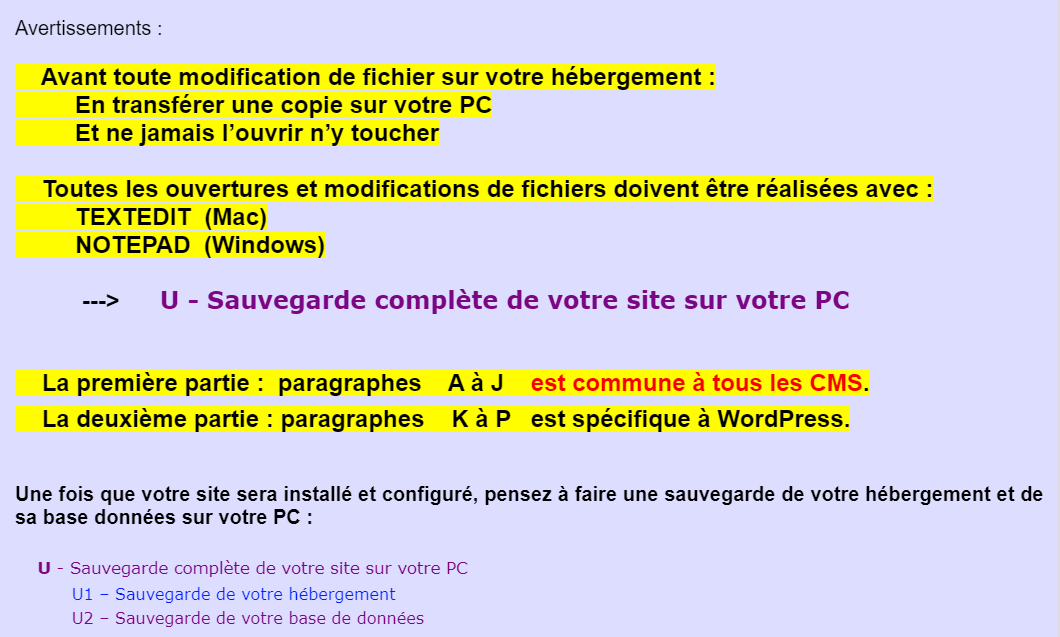
Voici un petit guide que j'ai écrit et qui pourrait vous apporter des éclaircissements pour **une Installation complète et propre de votre Site**.
**************************************************************************************************
* **Guide - Comprendre la Relation Domaine > Zone DNS > Hébergement > Dossier du site** *
**************************************************************************************************
Voir --> **https://wordetweb.com/word-et-web/WORDPRESS-guide-installation-de-WordPress-premier-domaine-chez-OVH-FR.htm">CMS - WordPress - Guide Installation chez OVH**
Contrôler votre situation en suivant **attentivement** les paragraphes : **A** à **J**
_N'hésitez pas à me faire un retour : positif ou négatif._
_C'est comme cela que je peaufine mon Guide._
_Si ce guide vous a bien aidé, n'hésitez pas à cliquer sur le bouton « j'aime »_
Bonjour,
Je vous conseil de faire votre propre topic avec toute les informations nécessaire pour vous aider.
Cordialement, janus57
Bonsoir Christophe,
A priori, rien à voir avec le problème cité plus haut dans ce fil.
Votre message d'erreur indique clairement un problème de protocole :
> SSL23_GET_SERVER_HELLO:tlsv1 alert protocol version in
Je vous invite à consulter la communication faite https://community.ovhcloud.com/community/fr/tls-amelioration-du-niveau-de-securite-de-vos-sites-web?id=community_question&sys_id=b122b54c85de06d01e111c5c94ac5bd5 ici même
Bien à vous,
Bruno B.