
Hi!
I have normal "pro" web hosting from OVH and suddenly all three site (by multisite) on that hosting went down.
I have this error on my logs:
[Sun Jun 28 09:23:42 2020] [error] [client 91.158.61.32] [host mervisaarinen.fi] AH00032: Symbolic link not allowed or link target not accessible: /homez.143/mervisaaku/www/index.html.ovh.old
[Sun Jun 28 09:23:42 2020] [error] [client 91.158.61.32] [host mervisaarinen.fi] AH00687: Negotiation: discovered file(s) matching request: /homez.143/mervisaaku/www/index.html (None could be negotiated).
How should I fix this?
Hébergements Web - Symbolic link error with web hosting
Related questions
- Connexion à mon compte client
 145659
  13.02.2019 09:51
- Serveur non sécurisé, celui-ci ne supporte pas FTP sur TLS
121917 03.09.2018 14:46
- reCAPTCHA erreur pour le propriétaire du site : clé de site non valide
106620 14.02.2019 16:17
- [FAQ] Comment mettre à jour mon site pour supporter Apache 2.4 ?
93843 28.07.2017 11:39
- Passage en php 7.4
92605 30.06.2020 05:05
- Augmenter taille PHP Post Max Size sur mutualisé ?
87373 04.12.2019 21:52
- The requested URL / was not found on this server
86586 02.03.2017 18:25
- Deploy d'un projet Node JS
86185 12.10.2016 20:18
- NextCloud sur mutualisé
86183 07.04.2017 08:42
- Ce site est inaccessible Impossible de trouver l'adresse DNS du serveur
85847 16.10.2016 16:24
> Symbolic link not allowed or link target not accessible: /homez.143/mervisaaku/www/index.html.ovh.old
it is "normal" with the ugly 1clic module
with **FTP**, delete `index.html.ovh.old`
> /index.html (None could be negotiated).
index.php has disappeared ?
> suddenly all three site (by multisite)
I had 5 times the case this week (2 tonight)
the Ovh filesystem is not reliable
you have a Worpdress:
* download the version of WP (5.4.2?)
* decompress the archive
* copy the **CONTENT** of the `wordpress` folder (after decompression), **IN** the root, generally **`www`**
Hi! Thanks for the fast answer. I have deleted index.html.ovh.old from www folder. Still not working.
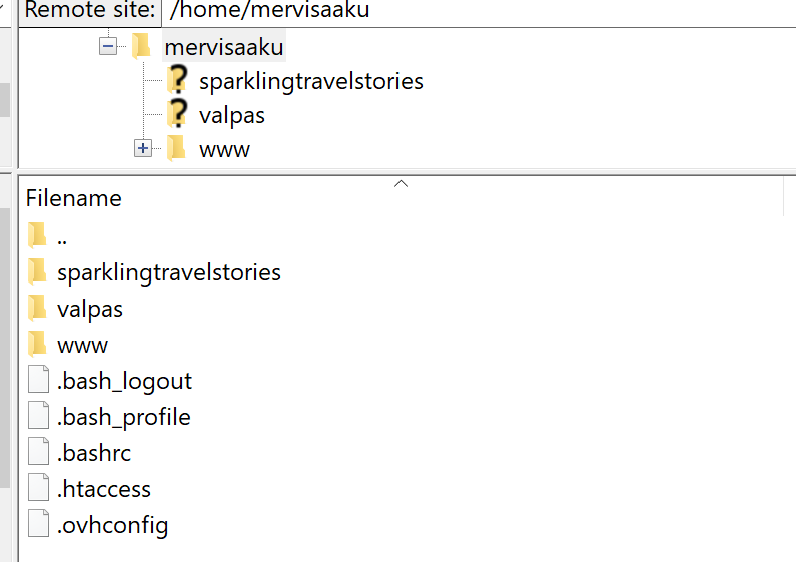
There is still index.php
I have sites like this:
www is installed via 1 click wordpress module... Any idea how to fix?
> Still not working.
it is a detail, your analysis, not the problem
you have to do everything else, or better call a professional to repair your sites
> Any idea how to fix
read the previous message
So you mean that I need to replace all old Wordpress file content with new wordpress file content?
probably yes to start the repair